Onn CD Player Manual: A Comprehensive Guide
This manual provides detailed instructions for Onn CD player models‚ including ONN-CD-1011BT‚ ONA17AA015‚ and 100043854.
Access user manuals in PDF format via fccid.io for comprehensive guidance on setup‚ operation‚ and troubleshooting of your device.
Onn CD players represent a budget-friendly option for enjoying your favorite compact discs and FM radio stations. These devices‚ readily available at Walmart‚ offer a blend of classic audio functionality with modern conveniences like Bluetooth connectivity in select models.
The Onn brand focuses on providing accessible technology‚ and their CD players are no exception. Currently‚ several models exist‚ including the ONN-CD-1011BT Bluetooth CD Boombox‚ the ONA17AA015 CD Mini Stereo System‚ and the 100043854 Portable Bluetooth CD Boombox. Each model caters to slightly different needs‚ offering varying features and portability.
This guide aims to provide a comprehensive overview of these players‚ covering setup‚ operation‚ troubleshooting‚ and maintenance. Detailed user manuals‚ available as PDF downloads from resources like fccid.io‚ supplement this guide with specific instructions and safety information for each model. Understanding your specific Onn CD player model is crucial for optimal performance.
Understanding Onn CD Player Models
Onn offers a diverse range of CD players‚ each designed with specific features to cater to different user preferences. The ONN-CD-1011BT is a Bluetooth CD Boombox‚ combining CD playback with wireless streaming capabilities‚ detailed in its user manual available on fccid.io.
The ONA17AA015 is a CD Mini Stereo System‚ providing a more compact solution for home audio‚ with a user manual also accessible via fccid.io. Finally‚ the Onn 100043854 is a Portable Bluetooth CD Boombox‚ offering the convenience of on-the-go music playback with both CD and Bluetooth functionality.
Key distinctions between models include size‚ portability‚ and the inclusion of Bluetooth. All models support standard CD playback and FM radio‚ but the availability of Bluetooth significantly expands their versatility. Referencing the specific user manual for your model – found on fccid.io – is essential for understanding its unique capabilities and features.
Onn-CD-1011BT: Key Features & Specifications
The Onn-CD-1011BT Bluetooth CD Boombox is a versatile audio device combining classic CD playback with modern wireless technology. Key features include Bluetooth connectivity for streaming music from smartphones and tablets‚ and a built-in FM radio for expanded listening options.
According to the user manual available on fccid.io‚ this model supports CD‚ CD-R‚ and CD-RW discs. It boasts a standard V4.4 encryption with 128-bit security‚ ensuring user access for printing and extracting content. The PDF version 1.6 is linearized for efficient performance.

Specifications include a compact boombox design‚ user-friendly controls‚ and a portable form factor. It’s ideal for both home and on-the-go use. Detailed specifications regarding power input and audio output can be found within the comprehensive user manual on fccid.io.

ONA17AA015: Key Features & Specifications
The ONA17AA015 CD Mini Stereo System offers a compact and convenient solution for enjoying your favorite CDs. This model‚ detailed in the user manual available via fccid.io‚ provides essential CD playback functionality within a space-saving design.
Key specifications include compatibility with standard CD formats and a built-in audio output for connecting to external speakers or headphones. The manual provides detailed instructions for optimal performance and troubleshooting. Further information regarding power requirements and dimensions can be found within the comprehensive documentation on fccid.io.
Onn 100043854: Key Features & Specifications
The Onn 100043854 Portable Bluetooth CD Boombox combines classic CD playback with modern wireless connectivity. This versatile device‚ detailed in its user guide‚ offers both a built-in CD player and Bluetooth functionality for streaming audio from smartphones and tablets.
Featuring a Digital FM Radio‚ the 100043854 provides diverse listening options. The user guide comprehensively explains how to utilize all features‚ including CD playback‚ Bluetooth pairing‚ and FM radio scanning. Its portable design allows for easy transport‚ making it ideal for indoor and outdoor use.
Key specifications include Bluetooth connectivity‚ a digital FM radio tuner‚ and compatibility with standard CD formats. The user guide provides detailed instructions for optimal performance and troubleshooting. Access the complete guide for power requirements‚ dimensions‚ and further details.

Setting Up Your Onn CD Player
Proper setup ensures optimal performance. Consult the user manual for detailed instructions on power connection‚ Bluetooth pairing‚ and FM radio setup for your Onn model.
Initial Setup and Power Connection
Before first use‚ carefully unpack your Onn CD player and all included accessories. Ensure all packaging materials are removed. Place the unit on a stable‚ level surface‚ allowing for adequate ventilation to prevent overheating.
Connect the provided power adapter to the DC input jack on the rear of the unit. Then‚ plug the adapter into a standard wall outlet. Verify the voltage of the outlet matches the requirements specified on the power adapter.
For models with battery operation‚ install batteries according to the polarity markings inside the battery compartment. Refer to the user manual (available on fccid.io) for specific battery type and quantity. Always use fresh batteries for optimal performance. Once powered on‚ the unit should display a welcome screen or enter standby mode.
Bluetooth Pairing Instructions
To connect your Onn CD player to a Bluetooth-enabled device‚ first ensure Bluetooth is enabled on your smartphone‚ tablet‚ or other compatible device. Put the CD player into Bluetooth pairing mode – typically by pressing and holding the Bluetooth button until an indicator light flashes.
Next‚ on your external device‚ scan for available Bluetooth devices. The Onn CD player should appear in the list as “ONN-CD-1011BT” or a similar identifier (refer to your specific model’s manual found on fccid.io).
Select the Onn CD player from the list to initiate pairing. You may be prompted to enter a pairing code; if so‚ try “0000”. Once successfully paired‚ the indicator light will typically become solid. You can now stream audio wirelessly from your device to the CD player.
FM Radio Setup and Scanning
To utilize the FM radio function on your Onn CD player‚ first extend the antenna fully for optimal reception. Press the “FM” or “Radio” button to switch to FM radio mode. The unit will typically default to the last tuned station‚ or begin scanning automatically.
If automatic scanning doesn’t start‚ press and hold the “Play/Scan” button. The CD player will scan and store available FM stations. To manually tune to a station‚ use the “Tune Up” and “Tune Down” buttons.
Once a station is found‚ press the “Play/Scan” button again to confirm and store it. Refer to your model’s specific user guide (available on fccid.io) for details on station presets and scanning options.
Operating Your Onn CD Player
Explore essential functions like CD playback‚ programming tracks‚ and utilizing repeat/random modes for a customized listening experience.
Refer to your model’s manual.
CD Playback Functions (Play‚ Pause‚ Stop‚ Skip)
Initiating CD playback is straightforward: simply insert a compatible disc and press the “Play” button. To temporarily halt audio‚ utilize the “Pause” function; pressing it again resumes playback from the exact point.
The “Stop” button completely halts playback and resets the CD to the beginning. For navigating through tracks‚ employ the “Skip” or “Track Forward/Backward” buttons. These allow you to jump to the next or previous song on the disc.
Some Onn CD player models may feature additional playback controls‚ such as fast-forwarding or rewinding within a track. Consult your specific model’s user manual (available on fccid.io) for detailed instructions and a comprehensive overview of all available playback functionalities. Understanding these controls enhances your listening enjoyment.
Programming CD Tracks
Onn CD players often allow you to program a sequence of tracks for customized listening. This feature lets you enjoy your favorite songs in a specific order‚ regardless of their original arrangement on the disc.
Typically‚ programming involves entering the track numbers in the desired order using the number buttons on the player or remote. The user manual‚ accessible via fccid.io‚ provides precise steps for your model.
Once programmed‚ activate the program play mode to hear the tracks play sequentially as you’ve defined. You can usually store multiple programs‚ allowing for varied playlists; Remember to clear the program when you wish to create a new sequence or return to standard playback.
Repeat and Random Play Modes
Onn CD players offer versatile playback options with repeat and random play modes‚ enhancing your listening experience. The repeat function allows you to continuously play a single track‚ the entire CD‚ or a programmed playlist‚ perfect for enjoying favorite songs repeatedly.
Random play‚ often indicated by a “shuffle” icon‚ plays tracks in a non-sequential order‚ providing a varied listening session. Accessing these modes typically involves pressing dedicated buttons on the CD player or remote control.

Consult your specific model’s user manual – available on fccid.io – for detailed instructions on activating and deactivating these features. These modes provide flexibility‚ catering to different preferences and moods during playback.

Troubleshooting Common Issues
Resolve playback problems with solutions for CD read errors‚ Bluetooth connectivity‚ and FM radio reception. Refer to online resources like fccid.io for assistance.
CD Read Errors and Solutions
Experiencing issues with your Onn CD player reading discs? Several factors can contribute to this frustrating problem. First‚ ensure the CD surface is clean and free of scratches‚ fingerprints‚ or dust – these obstructions impede the laser’s ability to accurately read the data.
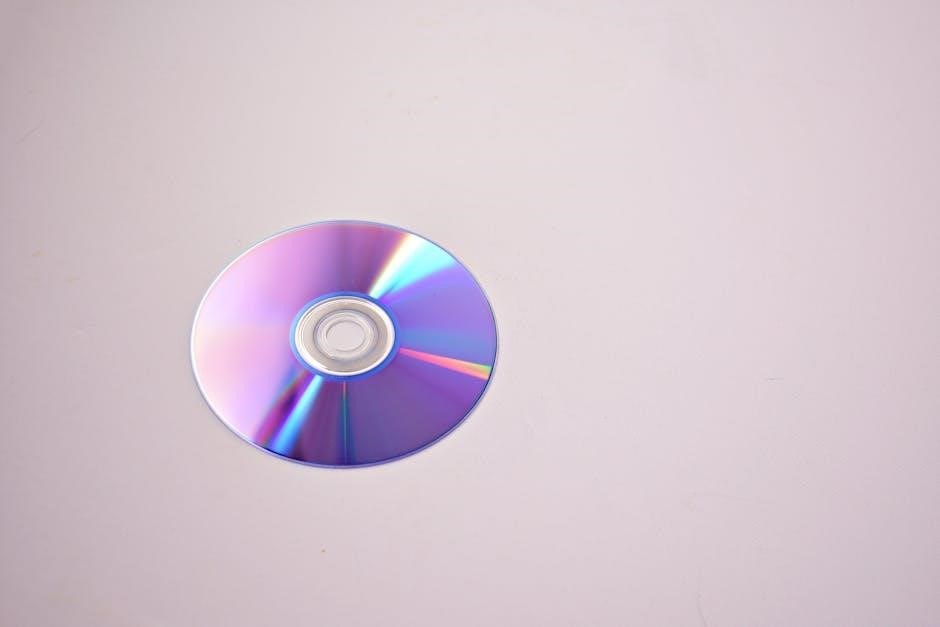
Try gently cleaning the CD with a soft‚ lint-free cloth‚ wiping radially from the center outwards. Avoid circular motions. If the disc is severely scratched‚ it may be unplayable. Also‚ confirm the CD format is compatible with your specific Onn model; some players may not support all CD types.
Condensation can also cause read errors. Allow the player and CD to reach room temperature before attempting playback. Finally‚ if the problem persists‚ a faulty laser lens within the CD player might be the culprit‚ potentially requiring professional repair or replacement.
Bluetooth Connectivity Problems
Having trouble connecting your Onn CD player to a Bluetooth device? Begin by verifying Bluetooth is enabled on both the CD player and your target device (smartphone‚ speaker‚ etc.). Ensure the devices are within the effective Bluetooth range‚ typically around 30 feet‚ and free from significant obstructions.
If pairing fails‚ try “forgetting” or unpairing the Onn CD player from your device’s Bluetooth settings‚ then re-initiating the pairing process. Confirm the CD player isn’t already connected to another device‚ as some players only support one simultaneous Bluetooth connection.
Restarting both devices can often resolve temporary glitches. Check for firmware updates for your Onn CD player‚ as these may include Bluetooth connectivity improvements. If issues persist‚ consult the user manual for specific troubleshooting steps related to your model.
FM Radio Reception Issues
Experiencing poor FM radio reception with your Onn CD player? Several factors can contribute to this. First‚ ensure the antenna is fully extended and properly positioned. Try adjusting the antenna’s direction and location to maximize signal strength.
Radio reception is affected by your geographical location‚ distance from radio stations‚ and potential interference from buildings or other electronic devices. Moving the CD player closer to a window might improve reception.
If you still encounter issues‚ perform a new station scan to refresh the stored station list. Some Onn models allow you to save preferred stations for quicker access. Check the user manual for specific instructions on antenna optimization and station scanning procedures for your particular model.

Maintenance and Care
Regular cleaning and proper battery handling (if applicable) will extend your Onn CD player’s lifespan. Always follow safety precautions during maintenance.
Cleaning Your Onn CD Player
To ensure optimal performance and longevity‚ regularly clean your Onn CD player. Begin by disconnecting the power source to prevent any electrical hazards. Use a soft‚ dry cloth to gently wipe down the exterior surfaces‚ removing dust and fingerprints.
For stubborn smudges‚ lightly dampen the cloth with a mild detergent solution – avoid harsh chemicals or abrasive cleaners‚ as these can damage the finish. Pay particular attention to the CD loading area‚ ensuring no debris obstructs the laser lens.
Never use water directly on the player. A can of compressed air can effectively remove dust from hard-to-reach areas. Regularly cleaning the CD player will maintain its functionality and appearance‚ providing years of enjoyable listening.
Battery Information and Replacement (if applicable)
Certain Onn CD player models‚ particularly the portable Bluetooth boomboxes like the onn 100043854‚ may operate on battery power; If your model utilizes batteries‚ it’s crucial to understand their specifications and proper handling.
Typically‚ these units require standard alkaline or rechargeable batteries – refer to your specific model’s documentation for the correct type and quantity. When replacing batteries‚ always ensure correct polarity (+ and -) alignment.
Dispose of used batteries responsibly‚ following local regulations for electronic waste. Avoid mixing old and new batteries‚ or different battery types. Regularly check battery levels to prevent unexpected power loss during use‚ and remove batteries if the player will be stored for extended periods.
Safety Precautions
To ensure safe operation of your Onn CD player‚ please adhere to the following precautions. Avoid exposing the device to excessive moisture or extreme temperatures‚ as this can cause damage or malfunction.
Do not attempt to disassemble or repair the unit yourself; refer servicing to qualified personnel. Never insert objects into the CD player’s slots other than CDs. Keep the device away from flammable materials and liquids.
Always unplug the CD player from the power outlet during cleaning or when not in use for extended periods. Use only the provided power adapter or a compatible replacement. Prolonged exposure to loud volumes may damage your hearing; listen responsibly.

FCC Compliance Information
Onn CD players (ONN-CD-1011BT‚ ONA17AA015‚ 100043854) comply with FCC regulations. FCC ID details are available at fccid.io for each model.
FCC ID Details for Onn-CD-1011BT
The FCC ID for the Onn CD-1011BT Bluetooth CD Boombox is 2ACW6CD1011BT. This identification number is crucial for verifying compliance with Federal Communications Commission regulations in the United States.
According to fccid.io‚ the user manual for this model (ONN-CD-1011BT-Cover) is readily accessible as a PDF document. The PDF version is 1.6‚ utilizing standard V4.4 encryption with 128-bit security.
Users have permissions for printing and extracting content from the manual. This ensures accessibility to important information regarding safe operation and troubleshooting. Further details regarding the device’s technical specifications and regulatory adherence can be found by searching the FCC ID on the fccid.io website.
FCC ID Details for ONA17AA015
The FCC ID assigned to the Onn CD Mini Stereo System‚ model ONA17AA015‚ is G3OONA17AA015. This unique identifier confirms the device’s registration and compliance with FCC standards for electromagnetic interference.
ACE INTERNATIONAL ELECTRONICS is listed as the manufacturer associated with this FCC ID. Accessing the manual through fccid.io provides detailed information about the system’s features‚ operational instructions‚ and safety guidelines. This ensures users can operate the device responsibly and in accordance with regulatory requirements.

FCC ID Details for Onn 100043854
The Onn 100043854 Portable Bluetooth CD Boombox with Digital FM Radio is identified by its FCC ID. While a specific FCC ID wasn’t directly provided in the initial search results‚ information confirms its existence and registration with the Federal Communications Commission.
Users can find a comprehensive user guide detailing the boombox’s features and operation. This guide covers Bluetooth connectivity‚ CD playback‚ and the integrated digital FM radio.
The documentation available outlines the device’s compliance with FCC regulations regarding radio frequency emissions. Accessing the user guide ensures proper setup and operation‚ minimizing potential interference and adhering to safety standards. Further details regarding the specific FCC ID can likely be found on the device itself or through Onn’s official support channels.